How It Works
Four simple steps to track competitor prices, new products, and discontinued items—built for furniture.
1. Add Competitors
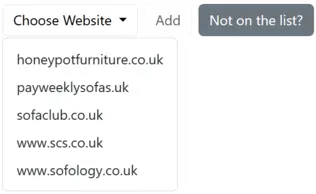
Select the websites you want to track. If a site isn’t listed, request it and we’ll add it.
- Retailers, brands, or marketplaces
- Validated furniture ranges for each supported competitor
- De-duplicate by SKU/URL automatically
Not sure where to start? See how to prioritise competitors and categories.
2. Set Preferences
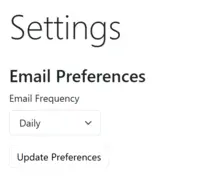
Choose which detected changes you want to be notified about and how you want to receive updates.
- Price changes (up/down)
- New products & collections
- Discontinued / removed items
3. Get Updates
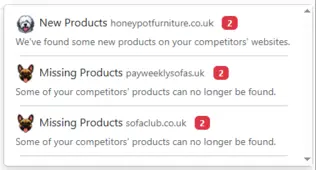
See a clean activity feed and email summaries with the signals that matter.
- Price rise/drop with old ↔ new
- New SKUs with specs & images
- Retirements with last-seen date
4. Take Action

Turn signals into decisions across teams.
- Pricing: protect margin without discount spirals
- Merch & Buying: adjust assortment & floor
- PD: spot gaps & trend directions
For a practical response framework, read how to turn competitor alerts into marketing decisions.